Enter your website. Pleomatic reads the public page and the tag containers behind it, then shows how your analytics, ad pixels, consent choices, booking links and WhatsApp handoffs hold up, with a ranked fix list.
The AI website audit reads your site the way a visitor, and an AI assistant, would. Your details are already saved on this device, so it starts with one click.
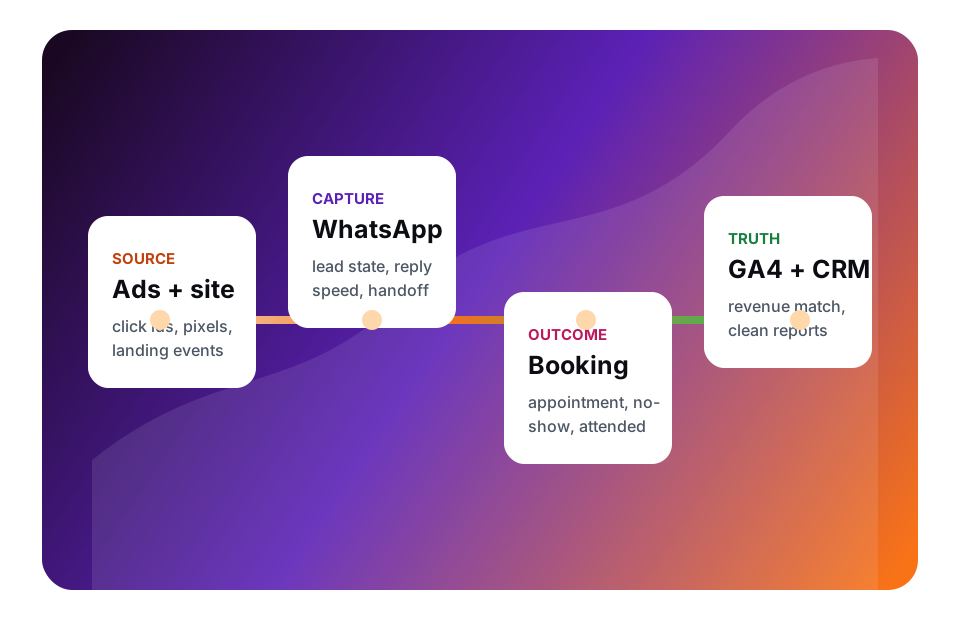
Most dashboards show that traffic arrived. A complete appointment setup shows who booked, who arrived, who paid and which campaign earned it.
What good looks like
A source-to-revenue chain.
Source to booked revenueWhich channel created the lead, the booking, the attended visit and the paid outcome.
Consent-state reportingWhat still measures when consent is denied, accepted or missing.
No-show economicsWhich campaigns bring people who arrive, not only people who click.
Drift warningsWhen a release, form, booking tool or CRM field changes the measurement layer.
Where the chain usually breaks
The setup looks fine until someone asks for proof.
Traffic without attributionPageviews and leads rise while cost per attended appointment stays unproven.
WhatsApp source lossThe campaign source drops out between the landing page, the chat and the booking desk.
Consent that is assumedThe banner is live, and the denied state has not been tested tool by tool.
Budget ahead of the dataSpend decisions start before GA4, the CRM and the ad platforms agree.
How it works
From address to ranked fixes.
Three steps, no account, and a result you can act on the same day.
01
Enter your website
Use your homepage or a landing page. The scan needs no login and no install.
02
The scan reads the evidence
It reads the page, then the public tag-manager and script sources the page loads: IDs, event names, consent mechanics, source fields, booking and WhatsApp handoffs.
03
Get a ranked fix list
Every open check shows the points it adds back, why it matters, how to fix it and where to find the setting.
What gets checked
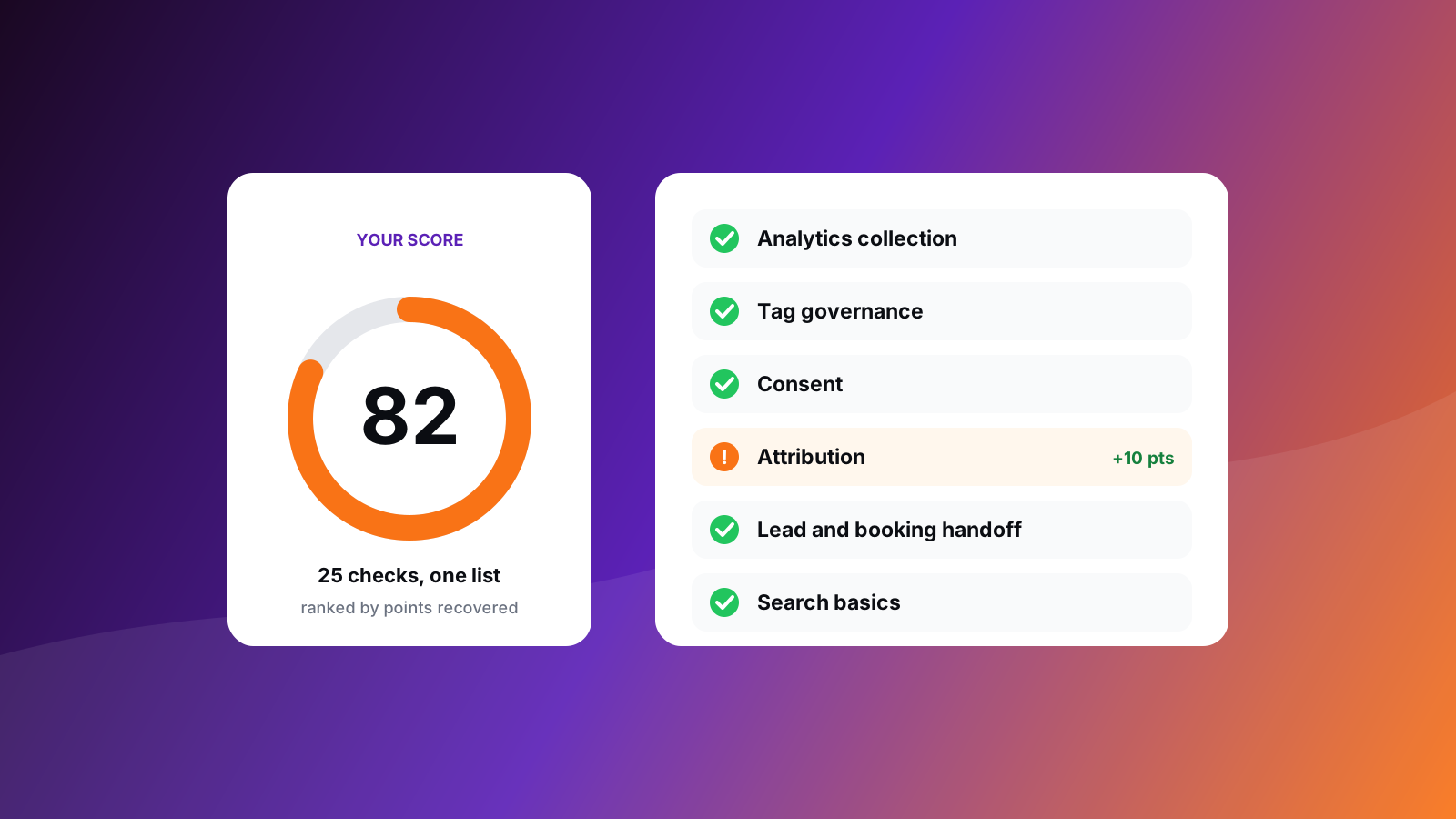
25 checks, grouped by the question each one answers.
Every check returns a clear result: pass, warn, fail or not applicable.
Analytics collection
Is analytics collecting your visits and events?
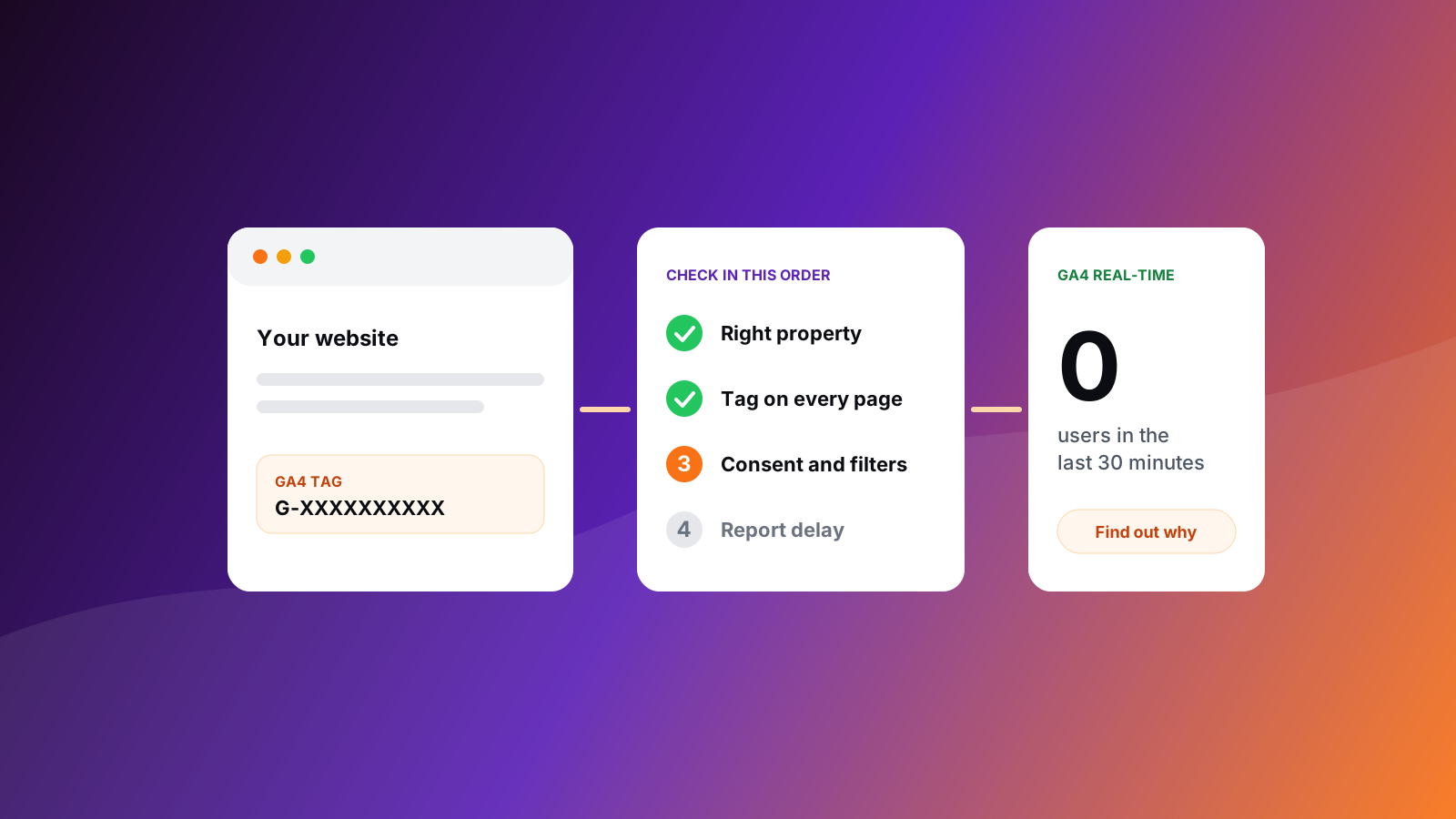
Google Analytics 4 is installedLooks for a GA4 measurement ID in the page and its tag containers.
A data layer carries your eventsLooks for a data layer that passes structured events to your tags.
Key events are visibleLooks for named events such as leads and bookings in page code and tag containers.
No legacy Universal Analytics is leftLooks for old UA-style IDs that Google no longer processes.
Behavior analytics shows where people stallLooks for Microsoft Clarity, Hotjar, FullStory or a similar tool.
Tag governance
Is your tag setup under control?
A tag manager governs your tagsLooks for a Google Tag Manager container.
The container is tidyCounts paused tags and custom HTML tags in your public container.
The tag footprint stays manageableCounts the outside hosts and recognised tools your page loads.
Consent
Do visitors' consent choices decide what fires?
Consent choices are managedLooks for a consent platform or Consent Mode in the page and its containers.
Defaults are set to denied before tags loadLooks for Consent Mode default and update calls.
Reject is as easy as acceptCompares accept and reject wording on the banner.
Replay tools follow consentChecks that recording tools load alongside a consent mechanism.
Attribution
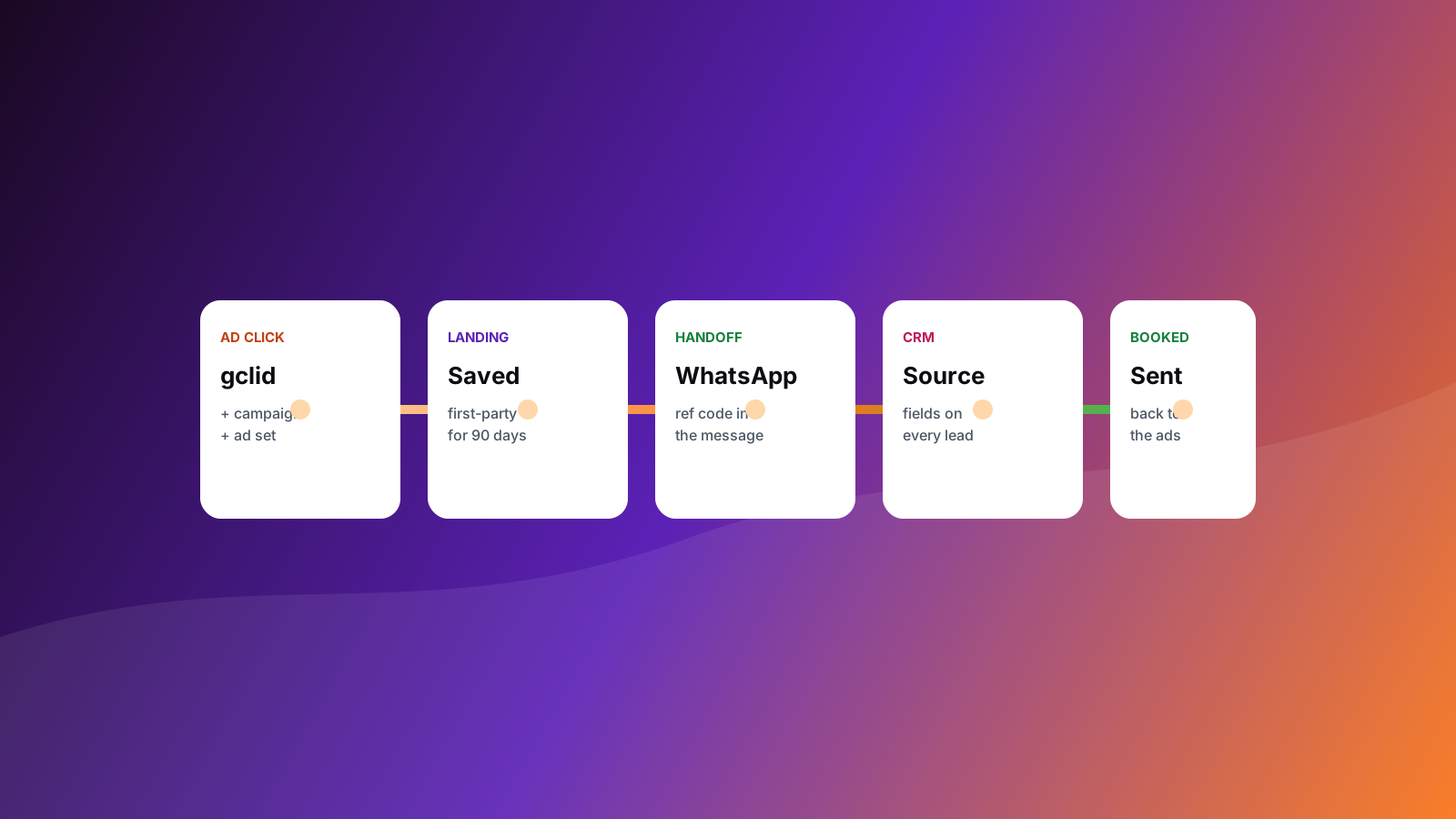
Does the campaign source survive to the booking?
Click IDs and UTMs are capturedLooks for gclid, fbclid, msclkid, ttclid and UTM handling in page scripts and containers.
Lead forms carry source fieldsLooks for hidden source, UTM or click-ID fields on forms.
Booked outcomes return to ad platformsUses your answer: do booked or attended outcomes flow back to ad platforms or the CRM?
Server-side collection is evidencedLooks for a server container or transport URL where server-side tracking is claimed or present.
Lead and booking handoff
Do leads reach booking and your CRM?
A conversion path is visibleLooks for booking links, WhatsApp links or lead forms.
The step after the lead is trackableLooks for a booking tool or WhatsApp handoff beyond the form.
A CRM or lifecycle tool receives the leadLooks for HubSpot, Zoho, Salesforce or a similar tool behind the forms.
The CRM keeps the campaign sourceWhen a CRM is visible, checks that click IDs or UTMs are captured alongside it.
Search basics
Can search engines read the page?
Title and description are setChecks the page title and meta description.
The page can be indexedChecks that robots metadata does not block search.
Structured data describes the offerLooks for schema.org or JSON-LD markup.
Link previews are setLooks for Open Graph tags.
A canonical address is declaredLooks for a canonical link.
The report
What the report gives you.
A report written for the person who noticed the numbers were off, with enough detail for the person who fixes them.
A score out of 100
Points earned over points available. Checks that do not apply to your page leave the pool, so every point reflects the tools you run.
A clear result on every check
Pass, warn, fail or not applicable, each with what the scan saw on your page.
Fixes ranked by points recovered
Every open check shows the points it adds back, so effort goes where it counts first.
What each gap costs you
Each finding explains the business effect in plain language, not only the technical fault.
How to fix it, and where to look
Steps for every finding, plus where to find the setting in GA4, GTM or your tools.
An export for your developer
Download every check as a CSV, or print the report to PDF.
Trials, intro sessions and memberships tied back to campaigns.
Access and privacy
Public data in. Nothing changed until you approve it.
Public data only
The scan reads what any visitor’s browser can see. The report is shown to you and not saved. We keep your email, the address you scanned and your score, so we can follow up on the results.
Changes only with your approval
GTM, pixels, consent settings and CRM fields change after scope and sign-off.
A record for every fix
Each closed issue keeps the before state, the fix shipped and the verification.
FAQ
Questions before the first scan.
What does the free scan check?
It runs 25 checks across analytics collection, tag governance, consent, attribution, lead and booking handoff, and search basics. It reads your public page and the tag-manager and script sources the page loads, then reports analytics tools, GA4 and GTM IDs, event names, ad pixels, consent mechanics, source and click-id capture, and booking and WhatsApp handoffs.
How long does a scan take?
Most scans finish within a few seconds. Sites that load many tag containers can take up to 20 seconds.
How many scans can I run?
Up to 8 scans an hour and 30 scans a day from one device, which covers your own sites and your clients’.
Do you need access to my Google Analytics account?
No. The scan works from public data only. A property-level review inside GA4 is a separate step you choose, scoped on a call.
How does the scan compare with a manual audit?
It checks the public layer quickly and the same way every time, which is where most tracking problems show. For what sits inside your GA4 property, and for unusual setups, a property review on a call goes deeper.
How is this different from a standard GA4 audit?
It follows the whole appointment journey: GA4 and GTM, ad pixels, consent, replay tools, CRM, WhatsApp handoffs and booking state, not only pageviews and form submits.
Is my website data stored?
The report appears in your browser and is not saved. We keep your email, the address you scanned and your score so we can follow up, plus a hashed visitor id for abuse prevention. A Cloudflare Turnstile check on the form keeps automated traffic out.
Should I scan if I already know the problem?
If you can name the one problem, book a review and we start there. Scan first when you suspect there is more than one.
Can agencies use it across clients?
Yes. Scan every client site you manage. For recurring checks across clients, ask about monitoring.
Which systems does it recognise?
GA4, Google Tag Manager and Google Ads tags; Meta, LinkedIn, TikTok and other ad pixels; Microsoft Clarity, Hotjar and FullStory; HubSpot, Zoho and Salesforce; Intercom and other chat tools; Calendly, Cal.com and Acuity; WhatsApp; and common consent platforms.
Field guides
Go deeper on the fixes.
Step-by-step guides for the findings the scan raises most often.